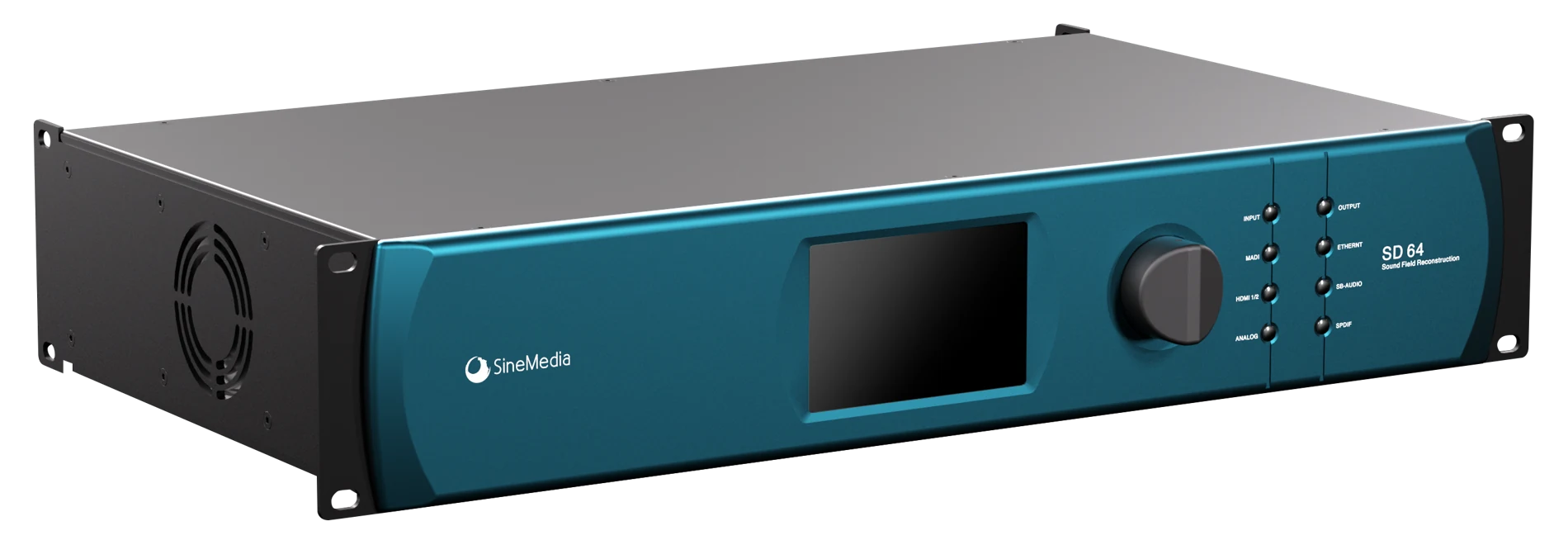
Exterior reconstructed from product photographs. Dimensions are estimated; this is a presentation model, not manufacturing CAD.
Maximum inputs
64 IN
Independent loudspeaker outputs
64 OUT
Network & digital audio
AES67 / MADI
Spatial configuration
Azimuth · ElevationDistance & channel
The layout is yours
The room sets the coordinates.
A theater, listening room or immersive venue brings its own installation constraints. SD64 connects the input sound layout to the positions of the installed loudspeakers, with output level and distance compensation as part of the configuration.
Input sound
The spatial direction of each audio track
Loudspeakers
The physical output positions in the room
Listening reference
The reference for loudspeaker distance
A real workflow
From a spatial idea to a working system.
Follow the details as you scroll: define the sound positions, place the loudspeakers, calculate, synchronize and tune.
SD64 / CONTROL SOFTWARE01 / 04
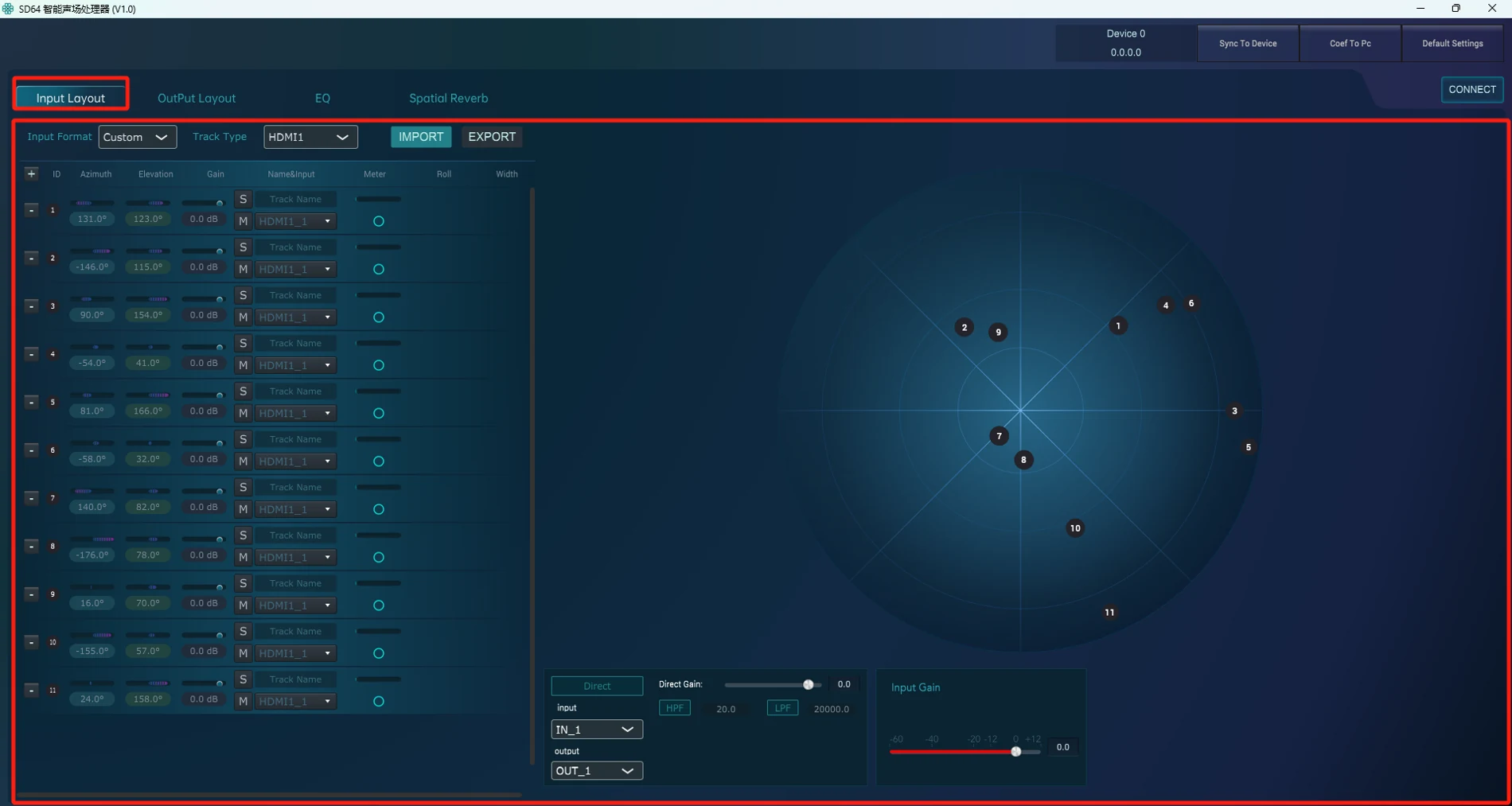
Input direction
Azimuth · Elevation · Gain
Sound positions
The same inputs, placed in space
Actual interface · detail
Loudspeaker coordinates
Azimuth · Elevation · Distance · Channel
Speaker view
Positions relative to the listening reference
Actual interface · detail
01 / Calculate decoder
Calculate Decoder
02 / Sync to the device
Sync To Device
Actual interface · detail
EQ
Frequency · Gain · Q
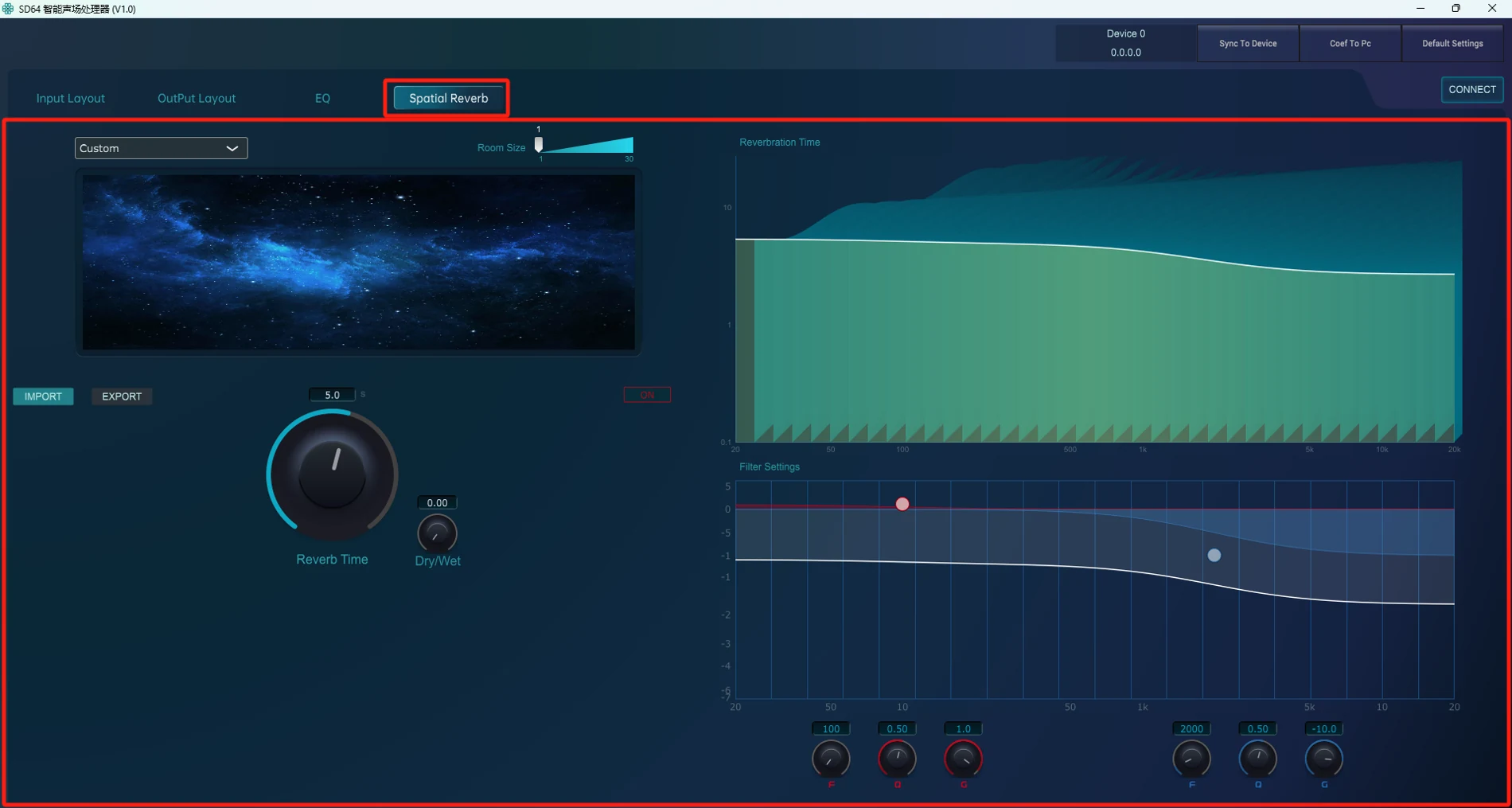
Spatial Reverb
Reverb Time · Dry / Wet
Actual interface · detail
01Input Layout
02Output Layout
03Calculate & Sync
04EQ & Spatial Reverb
01Input Layout
Give each input its place.
Choose the input format and set the spatial direction of each track. Azimuth and elevation describe the input sound position; stereo inputs also offer roll and width controls.
Format / Azimuth / Elevation
Input direction
Azimuth · Elevation · Gain
Sound positions
The same inputs, placed in space
Actual interface · detail
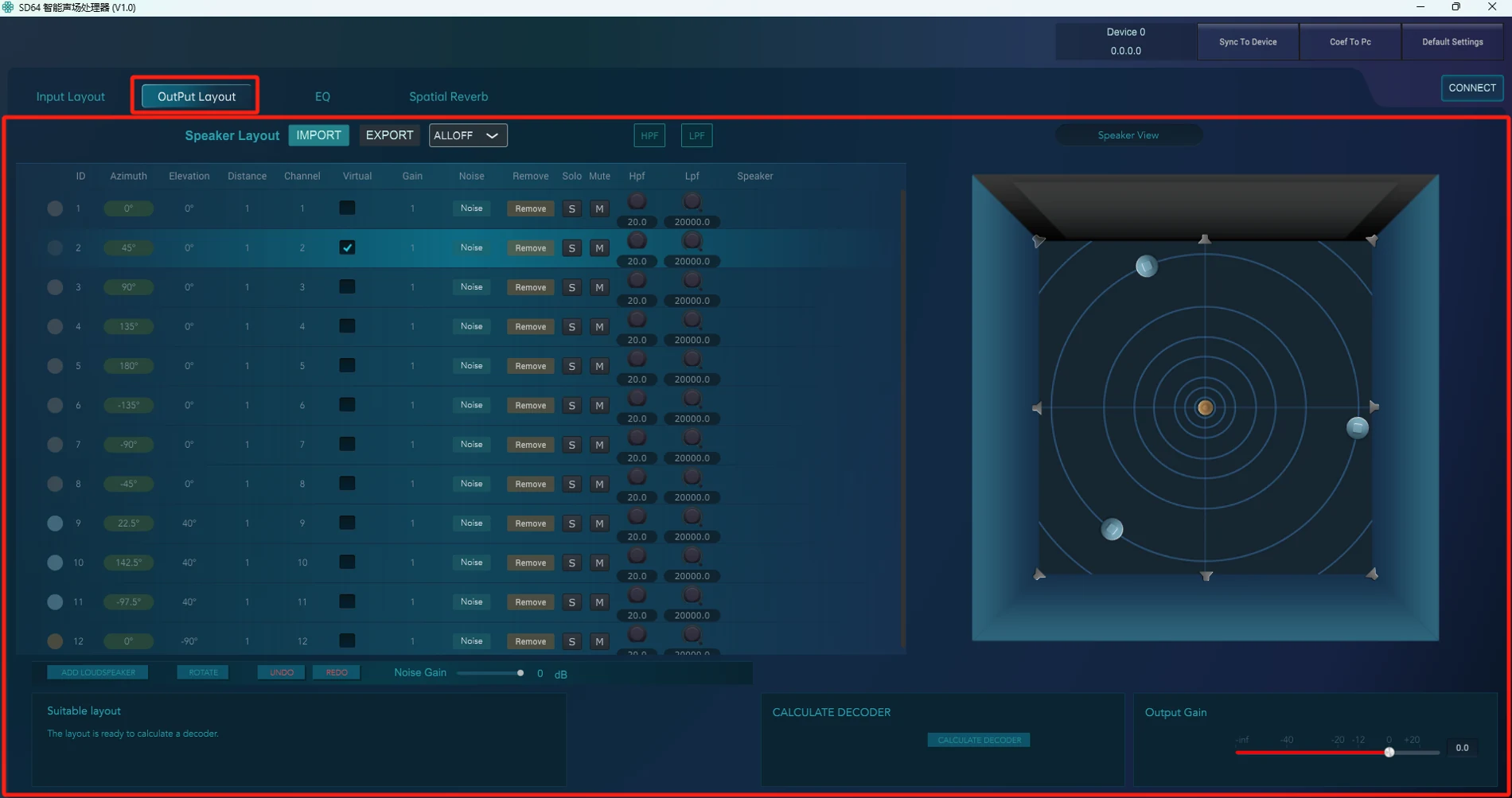
02Output Layout
Describe the room as it is.
Enter each loudspeaker’s azimuth, elevation, distance and output channel. Distance is measured from the listening reference, so the layout can reflect the actual installation.
Position / Distance / Channel
Loudspeaker coordinates
Azimuth · Elevation · Distance · Channel
Speaker view
Positions relative to the listening reference
Actual interface · detail
03Calculate & Sync
Calculate. Then send to the device.
After configuring the loudspeaker layout, run Calculate Decoder, then Sync To Device. The configuration steps connect the spatial design with the processor’s output channels.
Calculate Decoder → Sync To Device
01 / Calculate decoder
Calculate Decoder
02 / Sync to the device
Sync To Device
Actual interface · detail
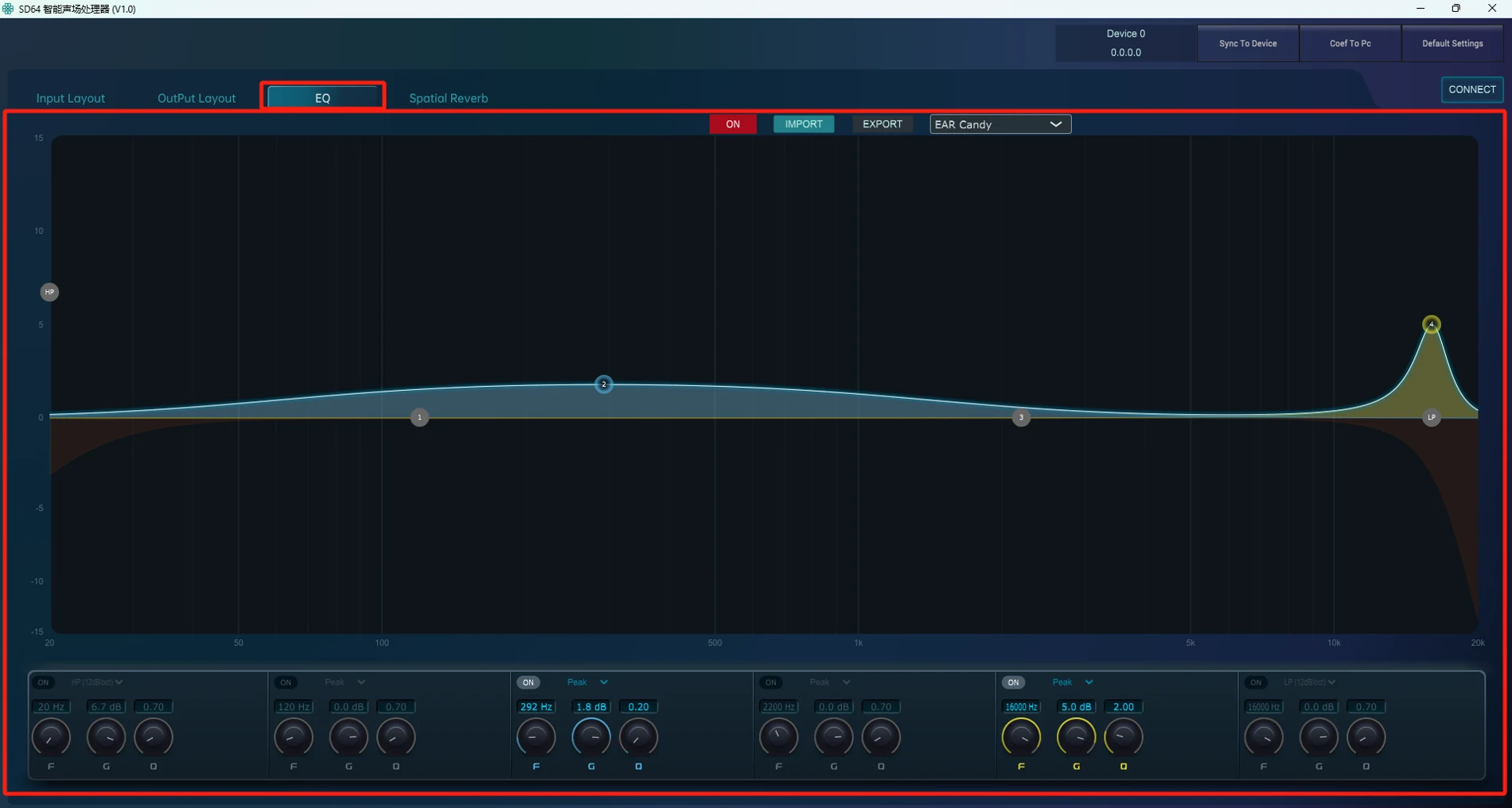
04EQ & Spatial Reverb
Refine the listening experience.
Continue with EQ and Spatial Reverb, then review the result in the actual space. Layout configuration and listening verification work together through the commissioning process.
Equalization / Spatial Reverb / Listening review
EQ
Frequency · Gain · Q
Spatial Reverb
Reverb Time · Dry / Wet
Actual interface · detail
Details are cropped from the actual SD64 user manual screenshots; displayed values are examples from the documentation. Open the originals for the complete interfaces, including the manual’s annotations.
Connect the system
Multiple interfaces. One clear capacity.
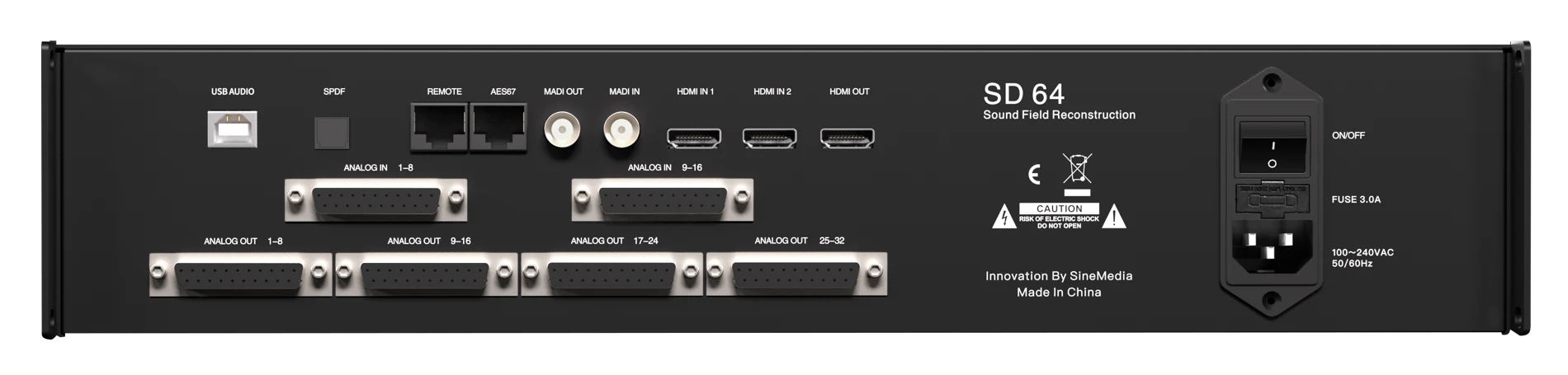
Up to 64 input channels and 64 independent loudspeaker outputs per SD64. Select the interface that fits your sources and installation.
Rear panel · actual hardware
SD64 audio interface channel counts
Interface
Inputs
Outputs
Connection
AES67
64
64
Network audio
MADI
64
64
Multichannel digital audio
Analog
16
32
Analog sources and downstream devices
HDMI
8
—
Multichannel source input
USB Audio
32
—
Computer audio input
Specifications are stated in the SD64 quick installation manual. Interface capacities are individual limits and must not be added together. A multi-device system requires a separate configuration design.
Built for the installation
Control at hand. Detail in view.
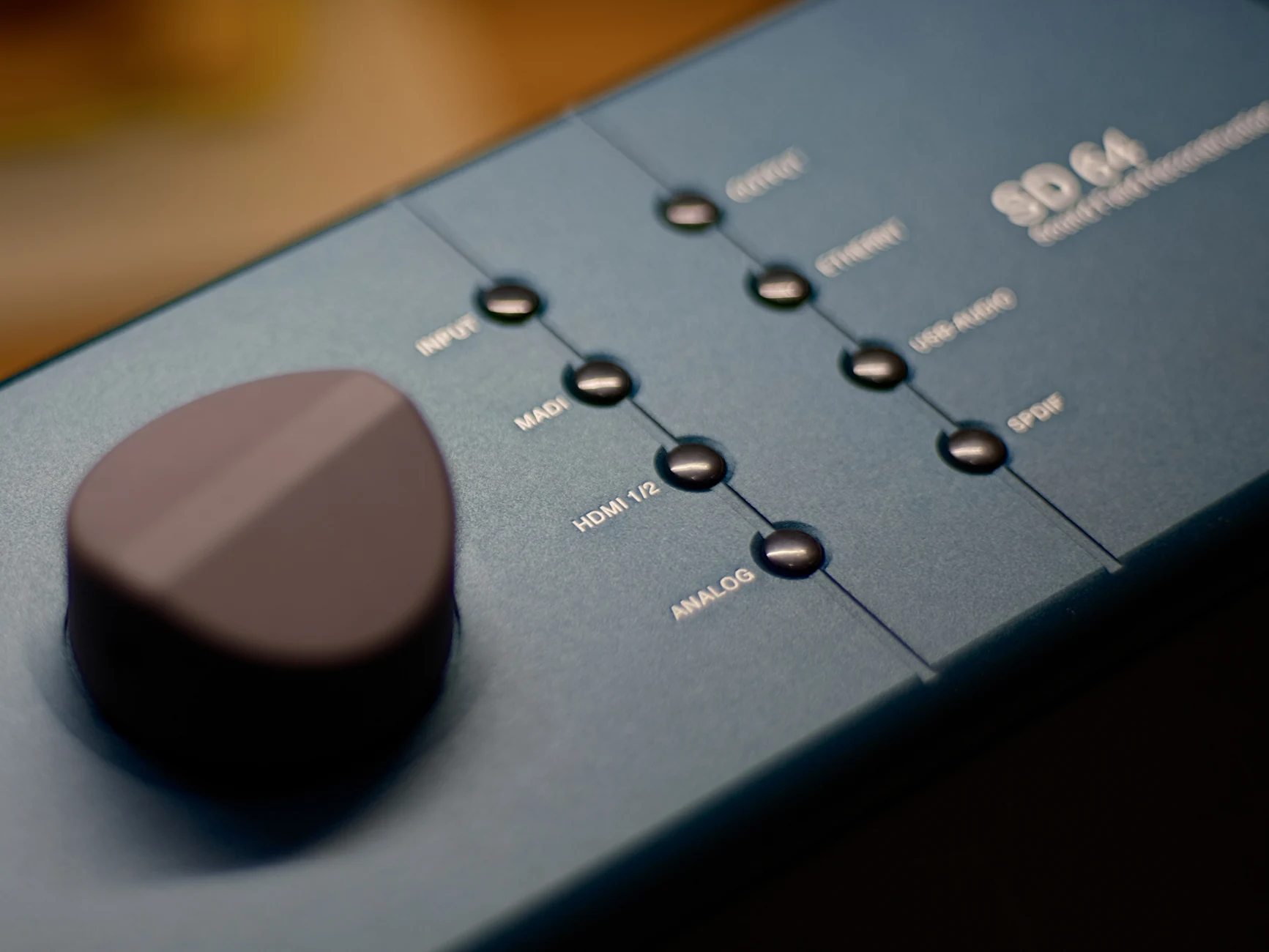
The front-panel display, rotary control and function buttons provide access to source selection and level adjustments. Software handles spatial layout, decoder configuration, EQ and reverb.