
Visual DSP routing & configuration
ChipRouteDraw your signal path.
Connect modules, shape parameters and validate your DSP design in one visual workspace.
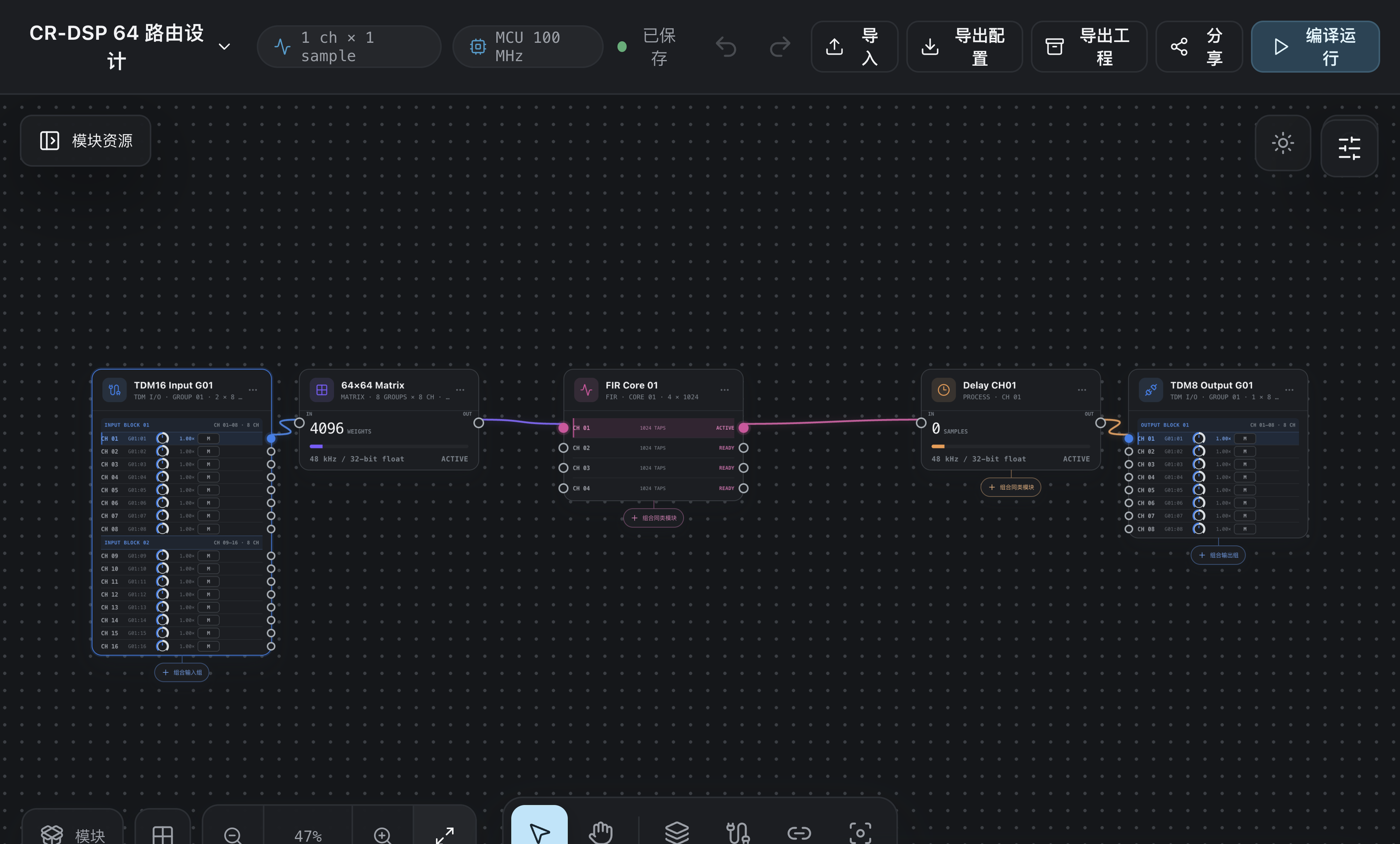
From a connection to a complete design.
Connect every channel.
Drag audio modules onto an infinite canvas. Connect and reroute individual ports, group modules, and undo or redo edits.
Keep parameters in view.
Edit Matrix crosspoints, import FIR coefficients, and configure channel gain, mute and delay in one workspace.
Check before you export.
Inspect port compatibility, channel allocation, graph cycles and resource limits against the selected hardware profile.
Hear the offline result.
Run test signals or multichannel WAV through the configured graph. Export the simulated audio and results for review.
Your design, in context.
Build. Verify. Keep a version.
Design the route
Choose a hardware profile, place modules and connect channels.
Verify the configuration
Review topology and resources, then run an offline simulation.
Save and share
Keep project versions and export JSON configuration or project archives.
Connect an external SineKniter service through MCP to receive proposed graph changes. Review and validate each proposal before applying it to the project.
Desktop targets: macOS Apple Silicon and Windows x64. The workflow shown here covers offline design and validation; live device deployment requires the corresponding SDK and hardware integration.

SineMedia · Build what comes next
Plan your next signal chain.
Talk to SineMedia about ChipRoute and your DSP configuration workflow.